
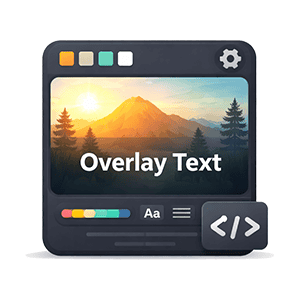
Add professional text overlays to any image on your WordPress site without touching an image editor. ID Image Overlay gives you a simple shortcode that positions customizable text on top of images with full control over color, opacity, size, alignment, and placement.
Nine-Position Overlay System
Place your overlay text exactly where it needs to be. Choose from nine precise positions — top-left, top-center, top-right, middle-left, middle-center, middle-right, bottom-left, bottom-center, and bottom-right. The overlay stays pinned to your chosen position regardless of image dimensions, and scales responsively across all screen sizes.
Full Styling Control
Every visual detail is configurable. Set the text color and background color independently, dial in the background opacity from fully transparent to fully opaque, adjust the font size, control the inner padding, and choose left, center, or right text alignment. Multi-line text is supported with automatic line break preservation, making it easy to add titles, subtitles, or call-to-action copy on a single image.
Optional Click-Through Links
Turn any image overlay into a clickable element by adding a link URL. Control whether the link opens in the same tab or a new window, and add a custom title attribute for accessibility. This makes Image Overlay perfect for promotional banners, hero images with call-to-action buttons, and clickable feature cards.
Works With Any Image Size
Select from any registered WordPress image size — thumbnail, medium, large, full — or specify a custom size like 800×600. The plugin pulls images directly from the WordPress media library, so you manage everything from a single place. Images scale fluidly on smaller screens while the overlay text maintains its position and readability.
Visual Editor Integration
If you use the Insight Dezign Visual Editor, Image Overlay registers as a native block with a full settings panel. Configure every option visually — select your image from the media library, adjust positioning, colors, and link settings — all without writing a single shortcode attribute by hand.