
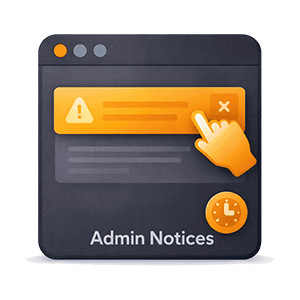
WordPress admin notices are helpful — until they pile up. Plugin updates, license reminders, promotional banners, and feature announcements crowd the top of every admin page, pushing your actual content further and further down. The default dismiss button only hides them until the next page load, and many notices don’t even have one.
ID Admin Notices takes a smarter approach. Instead of treating every notice the same, it classifies them by type and gives you control over who sees what.
Notices That Matter Stay Visible
Errors, warnings, and success notices are never touched. These operational notices are always visible to every administrator — exactly as WordPress intended. No dismiss buttons are added, no visibility restrictions applied. If something is broken or needs attention, everyone sees it.
Plugin Nags and Info Notices Under Your Control
Promotional banners, license reminders, feature announcements, and other info notices are only shown to the administrators you designate. Every info and nag notice gets a persistent dismiss button — click the X and it stays gone permanently. No more clicking the same dismiss button on every page load.
Update nags from WordPress core are also restricted to designated users, but shown as-is without a dismiss button — so the right people always know when updates are available.
Clean Admin for Everyone Else
Non-designated administrators see a completely clean dashboard with only the notices that matter: errors, warnings, and success messages. Info nags and update notices are hidden via CSS that loads before the page renders — no flash of content, no JavaScript needed.
Choose who sees notices from Settings > Admin Notices. The default is all administrators, but you can restrict it to specific users with a simple checklist.
How It Works
When a designated user dismisses a notice, the plugin generates a unique hash of its content and stores it in the database. On every admin page load, it checks incoming notices against the dismissed list and silently removes the ones that have already been seen. The notice never renders, so there’s no flash of content before it disappears.
A small banner at the top of admin pages tells designated users how many notices are currently hidden, with a toggle to peek at them.
Full Control From the Settings Page
Visit Settings > Admin Notices to configure notice visibility and manage dismissed notices. A table shows everything that’s been dismissed, including a preview of the notice content and the date it was dismissed. Restore individual notices with a single click, or use the “Restore All” button to bring everything back at once.
Dismissed notices older than 90 days are automatically pruned, keeping the list clean without any manual maintenance.
Smart and Lightweight
Built with vanilla JavaScript (no jQuery dependency), the plugin uses a 150ms delay to ensure WordPress has finished rendering all notices before processing. The hash-based identification system works reliably with any notice from any plugin — if the notice text changes (like a new version number), it’s treated as a new notice and appears again.
Non-designated users don’t load any JavaScript at all. Their notices are hidden purely with CSS, making the overhead effectively zero.