Manage a Gmail inbox that’s really a pipeline. Client Filter adds a persistent client-aware layer over Gmail without touching your labels, filters, or existing setup.
FOR PEOPLE WHO
• Manage mail for multiple clients from one inbox
• Consult, freelance, or run an agency
• Handle multiple accounts, projects, or portfolios
• Want to burn through mail one context at a time
WHAT IT DOES
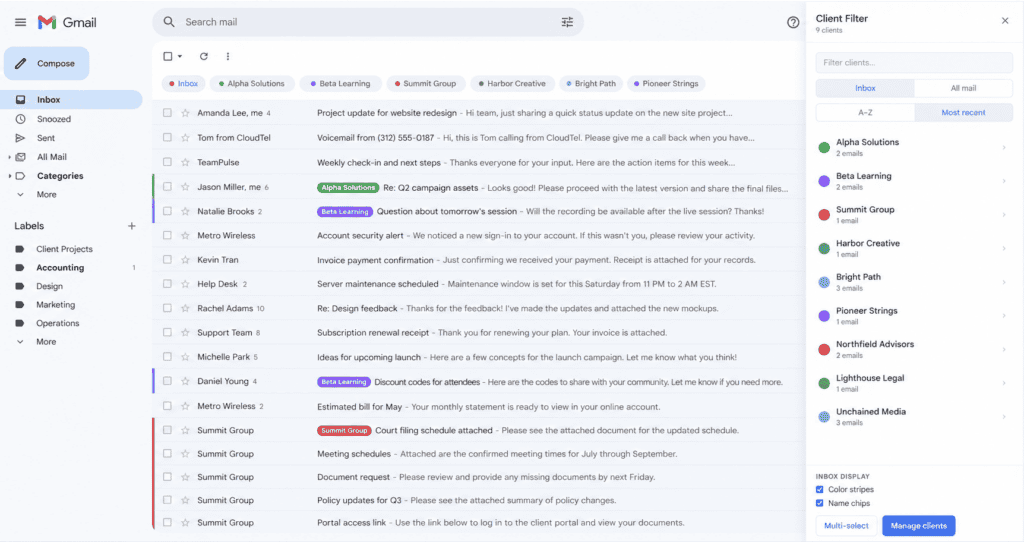
• A chip bar above your inbox with one chip per client. Click → Gmail’s main window filters to that client’s mail. No new tabs, no retyping searches, no losing your place.
• Context-aware: the bar knows whether you’re in Inbox or All Mail and switches its behavior automatically.
• Color-coded stripes and name chips on each matching row — scan who’s who without filtering.
• Sort chips alphabetically or by most recent activity.
• Multi-select mode: combine several clients into one filtered view.
• Open a message → sidebar shows the sender with one-click “add to client” or “create new client from this sender”.
• Custom per-client colors.
• Local storage only. No OAuth, no server, no tracking. JSON export for backup.
FREE VS PRO
• Free: up to 3 clients, all core features, data stays on this device.
• Pro (one-time $5): unlimited clients, and your clients + settings sync across every Chrome you’re signed into.
PRIVACY
Nothing leaves your browser. Client data is stored in Chrome’s local storage. The only network call the extension makes is to Insight Dezign’s license verification endpoint, and only when you enter a Pro license key or during a background re-check (at most once every 24 hours).
INSTALL AND USE
1. Install and pin the extension.
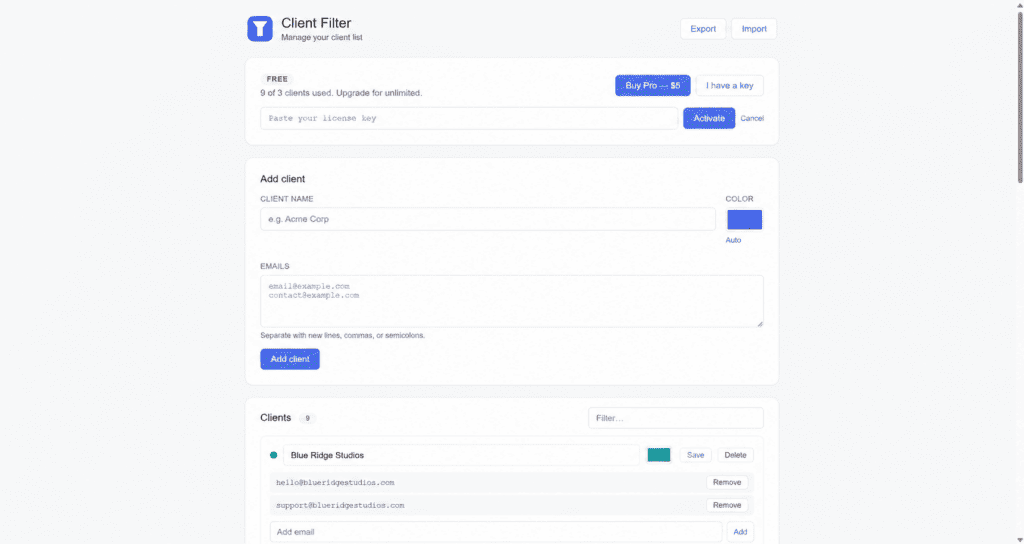
2. Click the icon to open Manage Clients.
3. Add a client (name + one or more email addresses).
4. Open Gmail. The chip bar appears above your inbox — click a chip to filter.